
Create a Professional Cover Letter in Minutes
A step-by-step walkthrough of Smart CV Builder’s AI-powered cover letter generator — from upload to download.
Go to Smart CV Builder
Getting startedHead to smartcv.elite-cv.com and click the “Create A CV/Cover Letter” button in the top navigation — or click the large CTA on the homepage.

Tip: You don’t need an account to start. You can explore the tool and only sign up or pay at checkout when you’re ready to download.
Choose “Cover Letter”
Stage: StartYou’ll land on the Create Your Career Document screen. You’ll see two options — CV and Cover Letter. Click “Create My Cover Letter” to begin.

Upload your CV & select a purpose
Stage: Start · Cover Letter SetupThe Cover Letter Setup screen asks you to upload your existing CV (PDF), then choose the purpose of your cover letter. The tool reads your CV to personalise the content it generates.
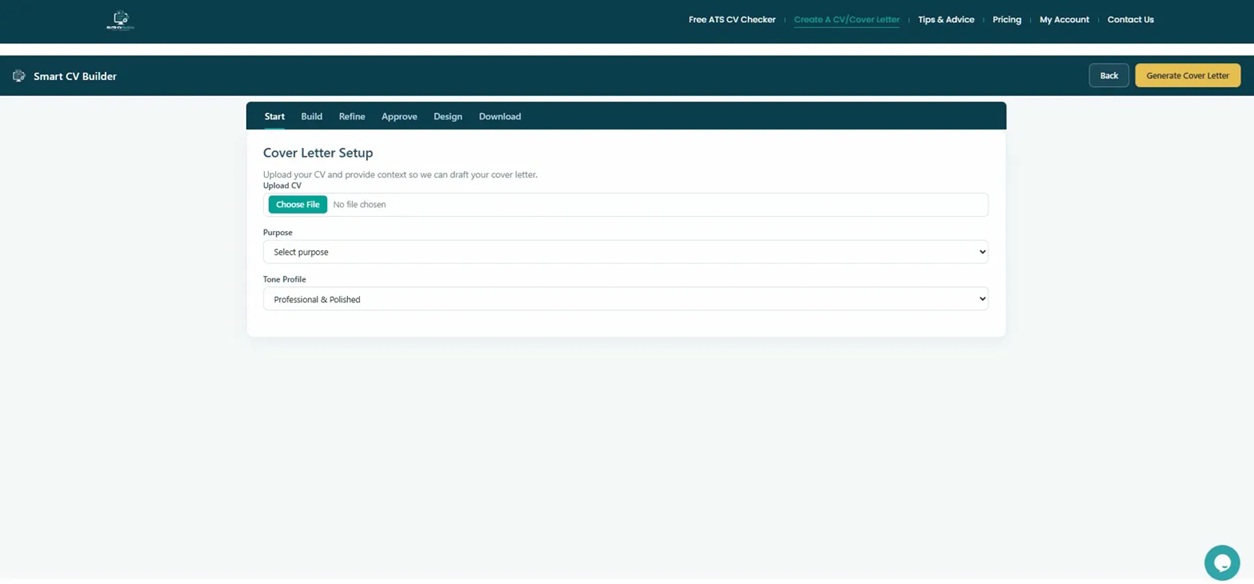
Click the Purpose dropdown to reveal three options:

Fill in job details & choose your tone
Stage: Start · Job DetailsIf you selected Applying for a specific job or Internal Promotion, additional fields appear. Fill in the job title, company name, and — if known — the hiring manager’s name and location. Then paste the job description directly or upload it as a PDF.
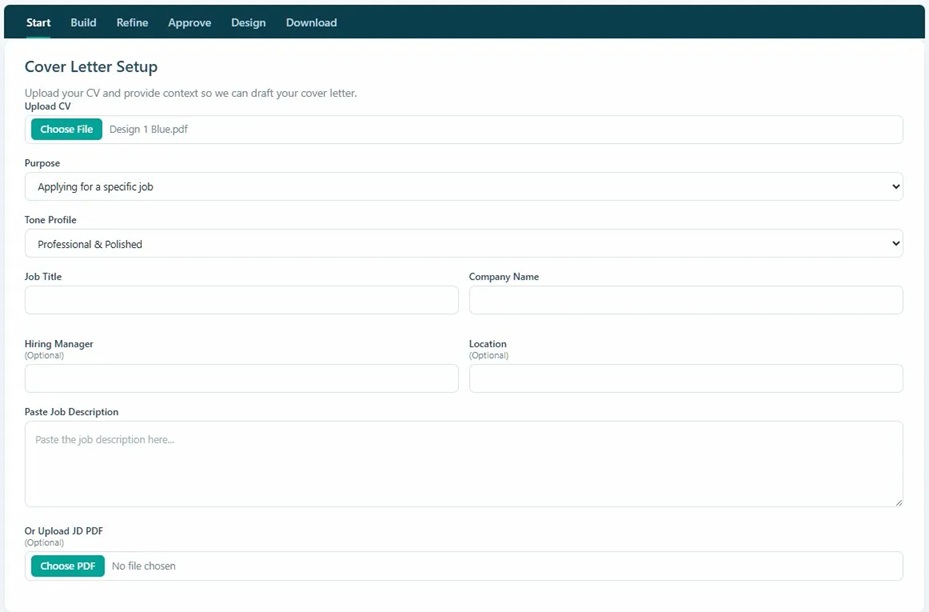
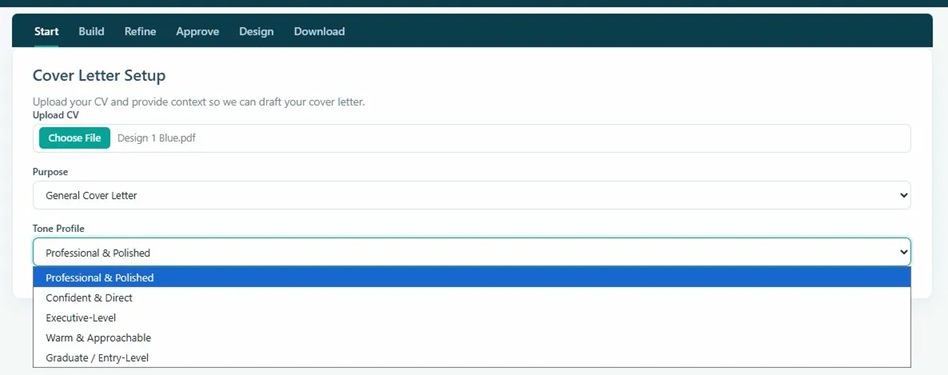
Then scroll up to set your Tone Profile. Five voices to choose from:
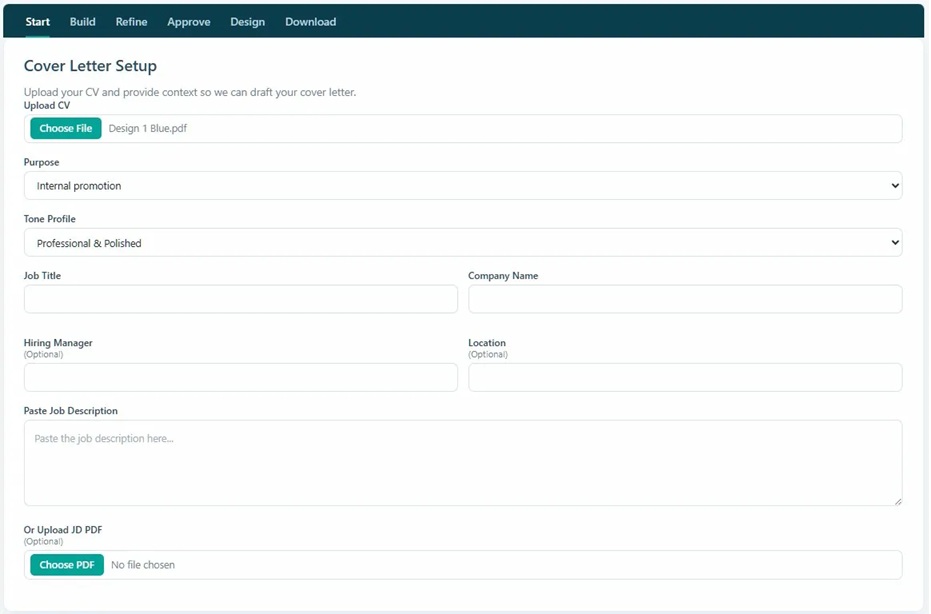
Not sure which tone to choose? “Professional & Polished” works for most roles. Choose “Graduate / Entry-Level” if you’re just starting out, or “Warm & Approachable” for creative, people-facing, or customer service roles.
For a General Cover Letter, the job-specific fields are hidden — just select your tone and you’re ready to generate.
Click “Generate Cover Letter”
Stage: Build · AI GenerationOnce your CV is uploaded and your details are filled in, click the Generate Cover Letter button in the top-right corner. The AI gets to work immediately.

The AI analyses your CV alongside the job description and generates a personalised, role-aligned draft in seconds.
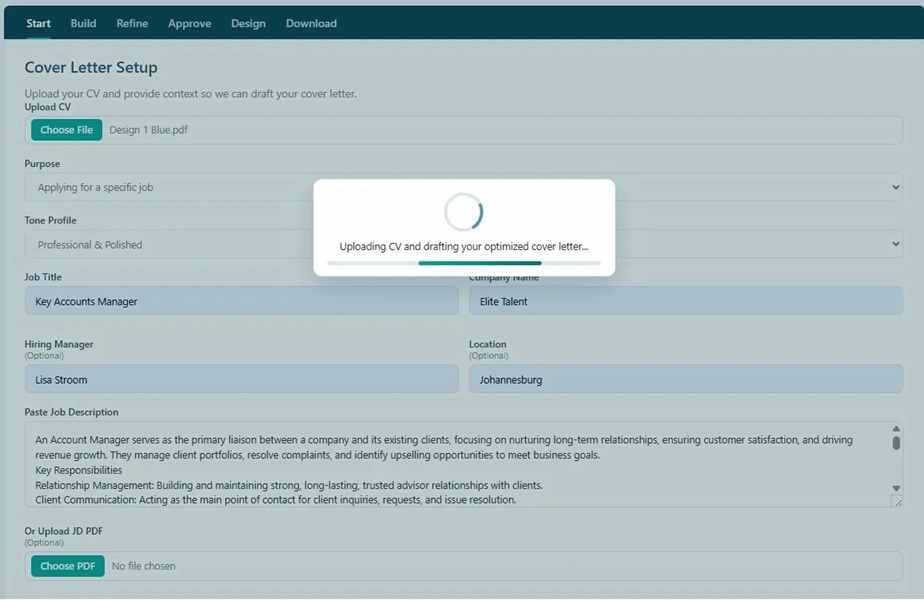
Review and edit your cover letter
Stage: Build · Edit Cover LetterYour AI-generated cover letter appears in a live editable text box. Review the content, make any tweaks you’d like — adjust a phrase, add a specific achievement, or personalise the closing — then click “Continue to Design” when you’re happy.
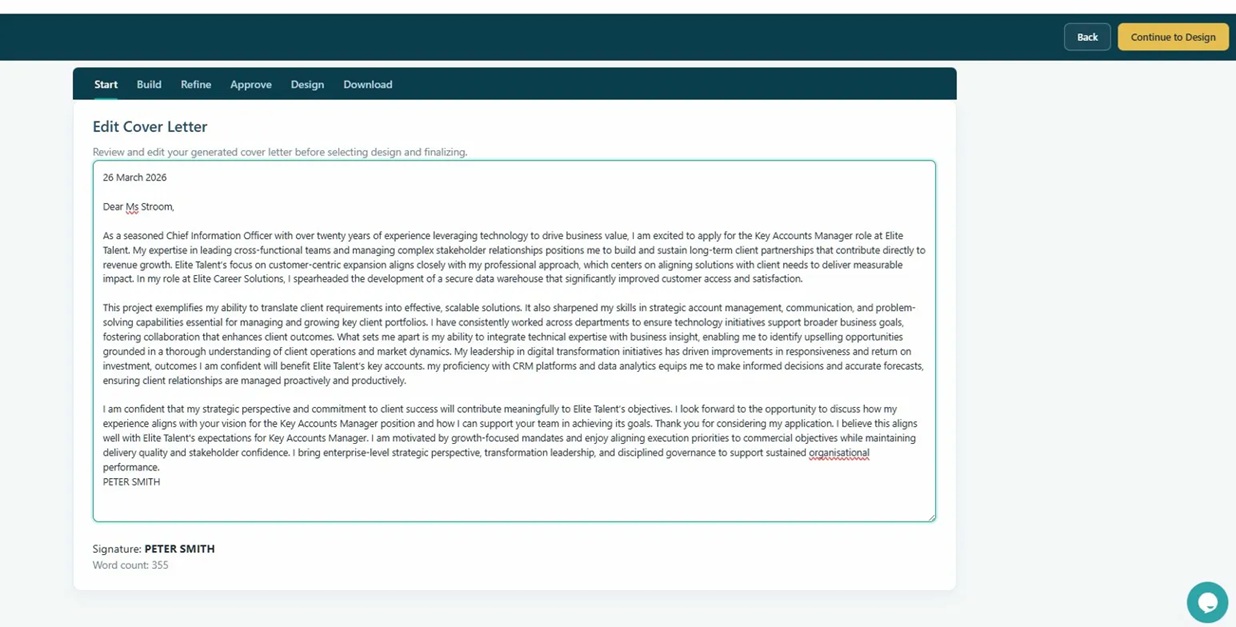
Make it yours: The AI gives you a strong starting point, but adding one specific achievement or a genuine reason you’re excited about this company will make your letter stand out even more.
Choose your design & colour
Stage: Design · Template & ColourSelect from four professional templates, then pick a colour scheme to match your personal brand or industry. Click a template card to select it, then use Preview to see your finished letter before committing.
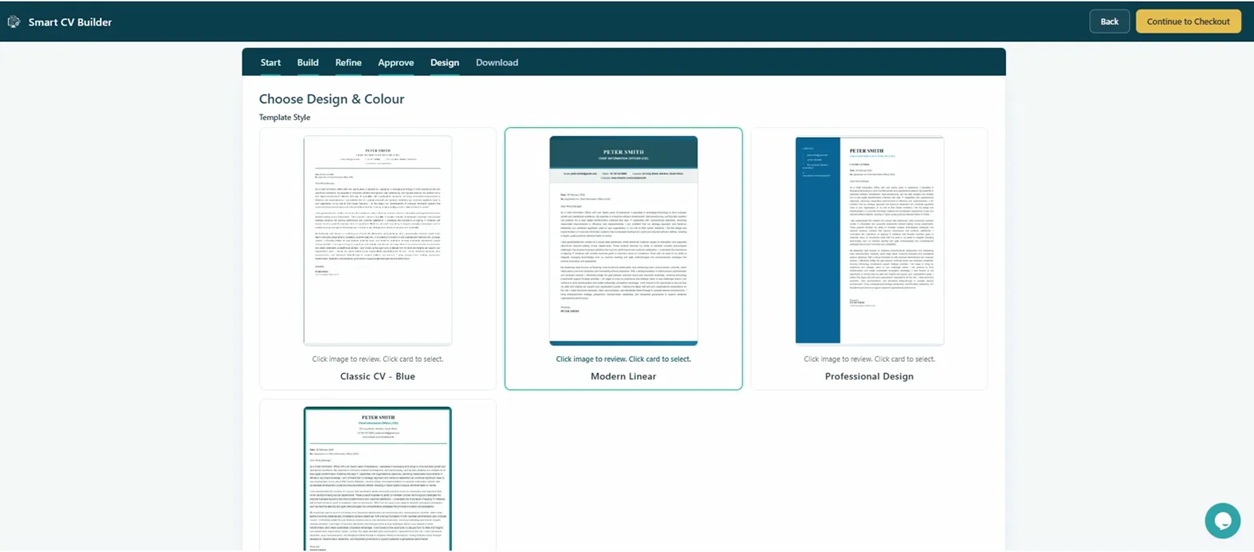
Then scroll down to select your Cover Letter Colour:
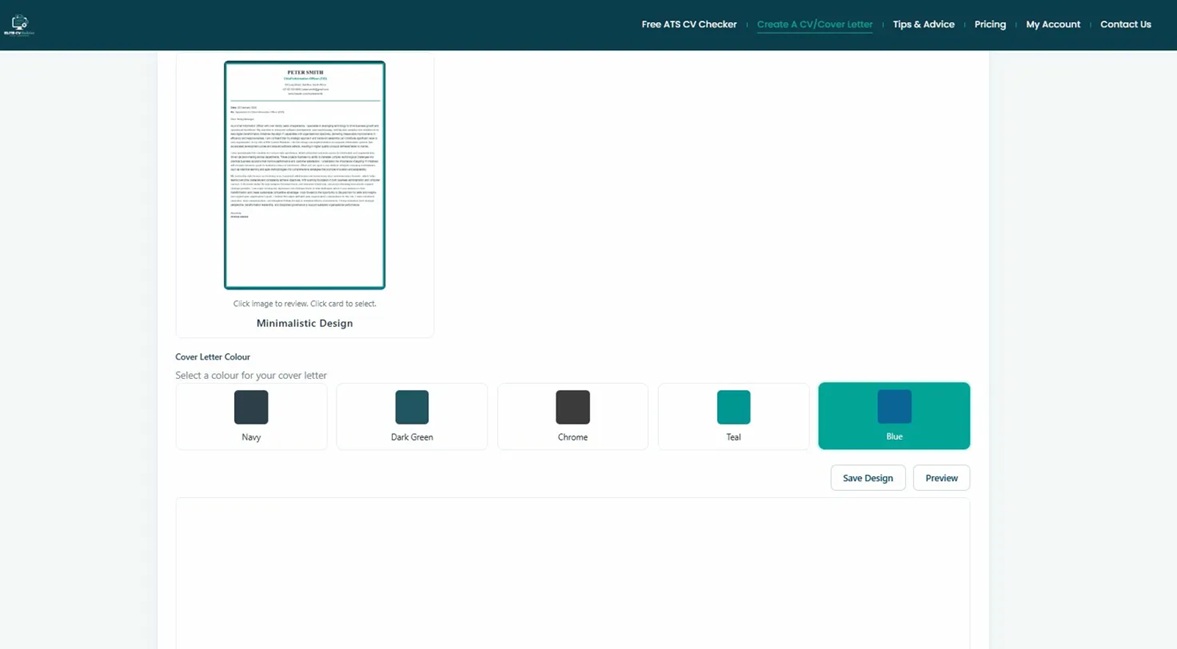
Click Preview to see exactly how your finished cover letter will look before you proceed to checkout.
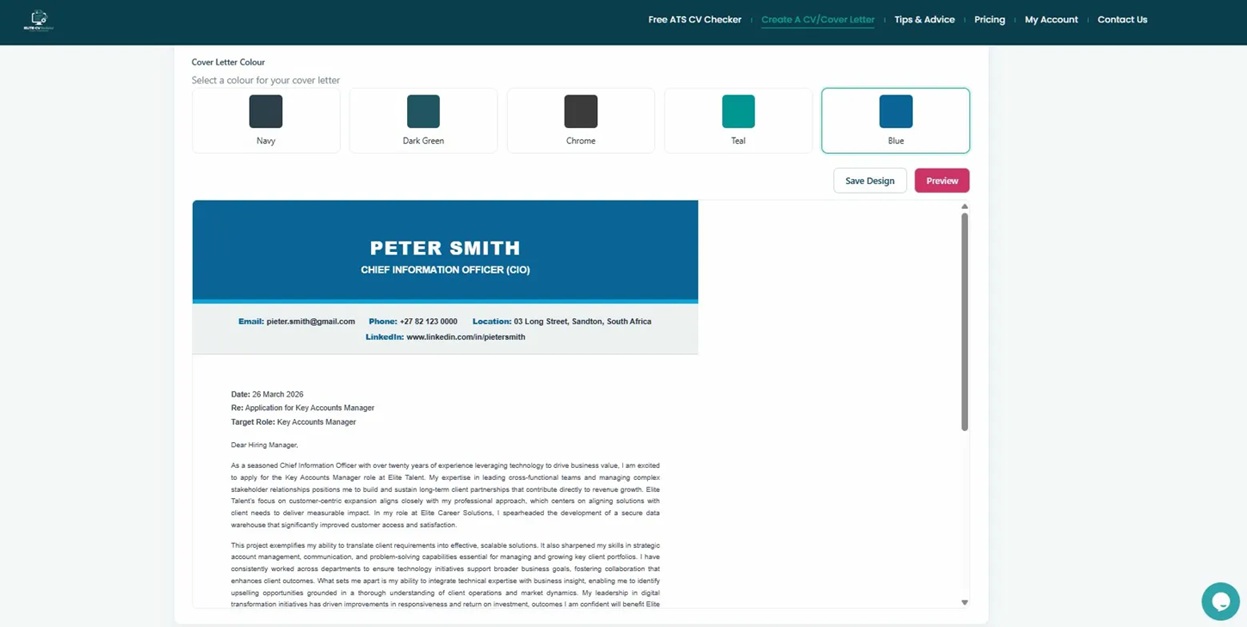
Match your CV: If you already have a Smart CV Builder CV, use the same template and colour for a perfectly coordinated application package — it signals professionalism and attention to detail.
Checkout & download
Stage: Download · CheckoutClick “Continue to Checkout”. Your cover letter is available for a once-off download — no subscription required. Complete your contact and billing details to finalise your order.
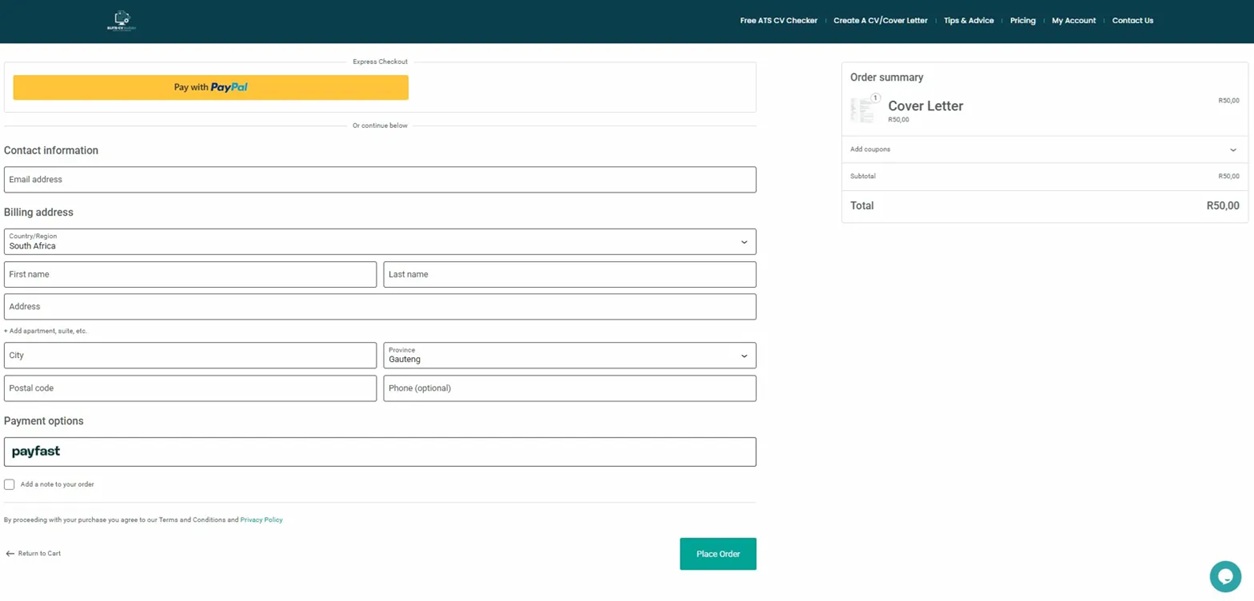
Payment options available at checkout:
After payment: Your cover letter downloads instantly as a professionally formatted PDF, ready to attach to any job application.
Ready to write your cover letter?
Join thousands of job seekers who’ve created standout applications with Smart CV Builder.
Create My Cover Letter View Pricing